
YouTube Automation Course
Learn NINEBIX YouTube Studio: long-form audio dramas from one story line and Shorts from one idea — course edition app + course videos.
Prices are shown in US dollars. Payment is charged in Korean won (KRW) by card or bank transfer — the exact KRW amount is shown at checkout.
- RefundsFull refund within 7 days if you never signed in to the course edition (refund policy)
- AI costsScript/image AI via API key (ChatGPT, Gemini, Claude, OpenRouter) or the local PC engines — external AI is billed to your own key account, local engines have no per-request fee (graphics card required) · default voice is free
- Sign-inThe course edition opens only when you sign in to the app with the Google account you paid with
- EarningsViews and earnings depend on your channel and content; this course does not guarantee them
Your best starting order
Pick three answers and we will suggest the order to take the lessons.
Suggested order
This only suggests a learning order; it does not promise results (views or earnings).
What you will learn
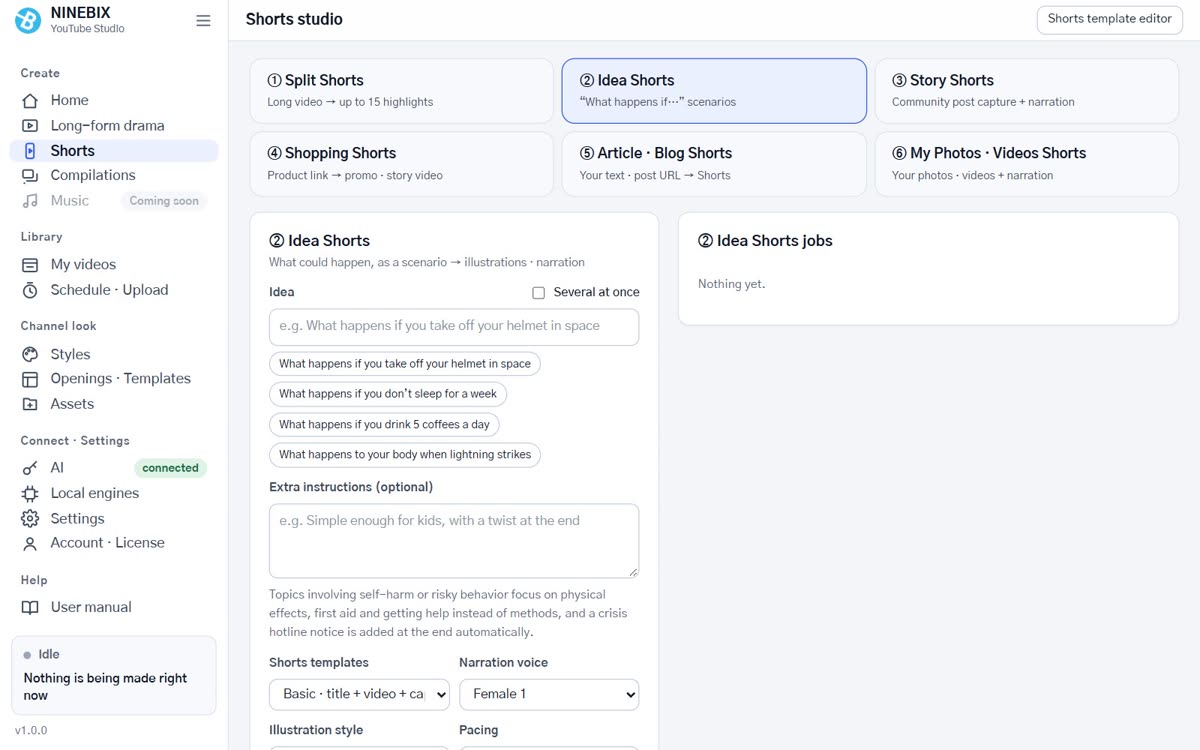
Make an 8-minute audio drama from one story line, cut Shorts from the same story, compose your own background music in the music studio, and run the channel end to end.
- Channel planning — genre (style profile) and a monthly plan
- Long-form — polish script, voices, scenes and SFX
- Shorts — seven formats and templates
- Music — pick a mood, polish tracks, make playlist videos and use them as long-form and Shorts background music
- Upload, scheduling & operations — thumbnails, titles, reading results
Pricing
Pricing tiers follow the number of paying buyers. Existing orders keep their confirmed price.
Pricing tiers use confirmed paid purchase records. Free access and key registration do not count as purchases. You pay the price set when your order is created.
FAQ
Anything else? Ask us via KakaoTalk open chat.
How is the free edition different from the course edition?
The free edition is a public release frozen at v0.9.0 and makes long-form audio dramas only. The course edition keeps getting new features such as the Shorts studio, the music studio, local PC engines and living scenes, and updates itself. Both install to the same place, so use only one.
How many PCs can I use?
Up to 2 PCs per account. A PC is registered when you sign in to the app; to switch PCs, remove the old one in My courses.
Are AI costs extra?
If you make scripts and images with external AI (ChatGPT, Gemini, Claude, OpenRouter), usage is billed to your own API key account (OpenRouter is for scripts only and also offers free :free models). The course edition's local PC engines (script, image, music) run on your own graphics card with no per-request API fee (power and disk space are yours). The default voice engine runs locally at no cost.
Can I use it without an API key?
Yes, in the course edition. Install the script (Gemma 4 E4B), image (FLUX.2 klein 4B) and music (ACE-Step 1.5) engines under Local PC engines (about 4–5GB download each; graphics card with 6GB+ VRAM, 4GB for music) and they run on your own PC with no external API key. Local scripts may be lower quality than external AI (Claude, GPT), so treat them as the free default and combine them with an external AI. With an OpenRouter key you can also use its free (:free) models for scripts. The app still needs an internet connection to verify your license.
Do I need a graphics card?
No. The default voice, Supertonic 3, runs on any PC without a graphics card, and scripts and images can come from external AI (API key). Only the local PC engines (script, image, music — NVIDIA, AMD or Intel with 6GB+ VRAM) and the Qwen3-TTS voice engine (NVIDIA only) need a graphics card, and the app tells you before installing if your PC falls short. Video rendering picks an NVIDIA, Intel or AMD hardware encoder automatically and falls back to the CPU.
When does a bank transfer unlock?
We unlock it after checking the sender name and amount (usually within one business day). Then you can download the course edition in My courses.
Which account do I sign in with?
Both the site and the app use your Google account. Sign in to the app with the Google account you paid with and it opens without a key. If you paid with another account, tell us via KakaoTalk open chat.
How do refunds work?
Full refund within 7 days of payment if you never signed in to the course edition. See the refund policy. A refund closes the course edition and course videos.